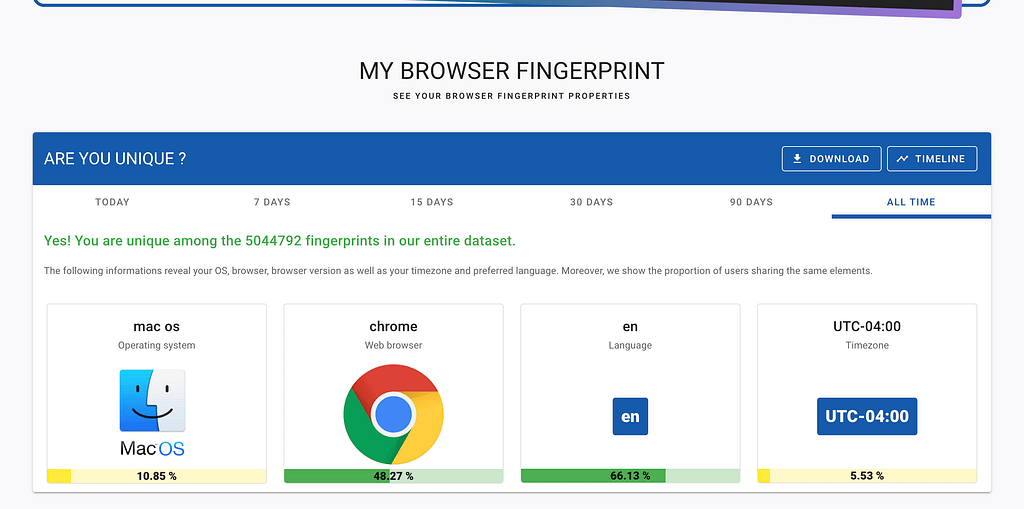
You cleared your cookies. You opened Incognito. You think you’re a ghost.
You’re not.
Imagine walking into a masquerade ball. You’re wearing a mask, a generic cape, and you haven’t told anyone your name. The host walks up and says, “Welcome back, Alex. Still in New York? How’s the new laptop?”
That’s browser fingerprinting. And in 2026, it’s how the ad industry survived the death of the cookie.
The Pivot
For two decades, tracking ran on cookies, small files dropped onto your machine. Easy to understand, easy to delete. When privacy laws tightened, and browsers started killing third-party cookies by default, advertisers didn’t give up. They flipped the model: stop planting things on the device, start measuring what’s already there.
Your browser is forced to share certain technical details so sites render correctly, your screen size, your fonts, and what your GPU can draw. Trackers realized they could quietly read all of it and stitch the answers into an ID.
The interrogation
Here’s what a tracker actually does. None of this triggers a permission prompt.
Canvas fingerprinting
The site asks your browser to draw an invisible image. Subtle differences in your GPU, drivers, and OS make the resulting pixels unique to your machine.
const canvas = document.createElement('canvas');
const ctx = canvas.getContext('2d');

ctx.textBaseline = "top";
ctx.font = "14px 'Arial'";
ctx.fillStyle = "#f60";
ctx.fillRect(125, 1, 62, 20);
ctx.fillStyle = "#069";
ctx.fillText("Hello, Fingerprint!", 2, 15);
// Hash the rendered pixels into a stable ID
const dataURL = canvas.toDataURL();
const hash = await crypto.subtle.digest(
  'SHA-256',
  new TextEncoder().encode(dataURL)
);
The hash is the fingerprint. Two machines running the same browser version on the same OS will still produce different hashes because the GPU rasterizes those curves slightly differently.
Hardware audit
const profile = {
  cores: navigator.hardwareConcurrency,  // logical cores
  ram: navigator.deviceMemory,           // capped at 8 by spec
  platform: navigator.platform,
  language: navigator.language,
  timezone: Intl.DateTimeFormat().resolvedOptions().timeZone
};
A note on deviceMemory: the W3C spec rounds it to 0.25, 0.5, 1, 2, 4, or 8. A 16 GB machine reports 8. That’s still useful; it tells the tracker you’re in the “8+” bucket, which, combined with everything else, is plenty.
Font enumeration
You can’t ask the browser “what fonts are installed?” directly. So trackers measure. They render a string in a known fallback font, then re-render in a candidate font. If the width changes, that font exists on your system.
function hasFont(name) {
  const baseline = measureWidth("monospace");
  const test = measureWidth(`'${name}', monospace`);
  return baseline !== test;
}
Run that against a list of 500 fonts, and you’ve got a barcode.
Why does none of this ask for permission?
When a site wants your location, the browser asks: Allow this site to access your GPS? When it wants your camera, you get a prompt.
Canvas rendering, CPU cores, and font metrics are passive. They’re part of the standard handshake that lets a site display correctly on your screen. Trackers weaponized that politeness. Combine enough polite answers, and you have a hash that mathematically identifies one machine on Earth.
fingerprint = hash(canvas + fonts + hardware + timezone + audio)
The part most articles skip: the server already knew
Everything above runs in JavaScript. You can block it. You can spoof it. You can use Brave.
It doesn’t matter, because before a single line of JS executes, your browser already shook hands with the server, and that handshake is its own fingerprint.
TLS fingerprinting (JA3 / JA4)
When your browser opens an HTTPS connection, it sends a ClientHello packet listing every cipher suite, extension, and elliptic curve it supports, in a specific order. Chrome’s list looks different from Firefox’s. Firefox 122 looks different from Firefox 124. A real Chrome looks different from a Python script pretending to be Chrome.
JA3 (and its successor JA4) hashes that ClientHello into a short string. Cloudflare, Akamai, and every serious bot-detection vendor fingerprint you at the TLS layer before your request even reaches the application.
You cannot block this from the browser. The handshake is the connection.
HTTP/2 frame fingerprinting
HTTP/2 lets the client send SETTINGS, WINDOW_UPDATE, and HEADERS frames in any order with any values. Different browsers pick different orders and values. Akamai published a fingerprint format that captures this. Same idea as JA4, one layer up.
What this means
A “perfect” client-side defense, every script blocked, every API spoofed, still leaves you identifiable at the network layer. The question is no longer whether they can fingerprint you, but which layer they are using today.
From device to person
Knowing you have a 10-core machine with a specific GPU and 213 fonts isn’t the same as knowing your name until you log in.
The moment you sign into a news site, a store, or a social network, that company links your fingerprint hash to your email. They sell the link to data brokers. Now, any “anonymous” site you visit can look up the hash and pull your estimated income, political leanings, and shopping history before the page finishes loading.
Case study: One in Five million
I ran the EFF’s Cover Your Tracks and Am I Unique against my own setup. Modern browser, common OS, reasonable precautions. The result:
Yes! You are unique among the 5,044,792 fingerprints in our entire dataset.
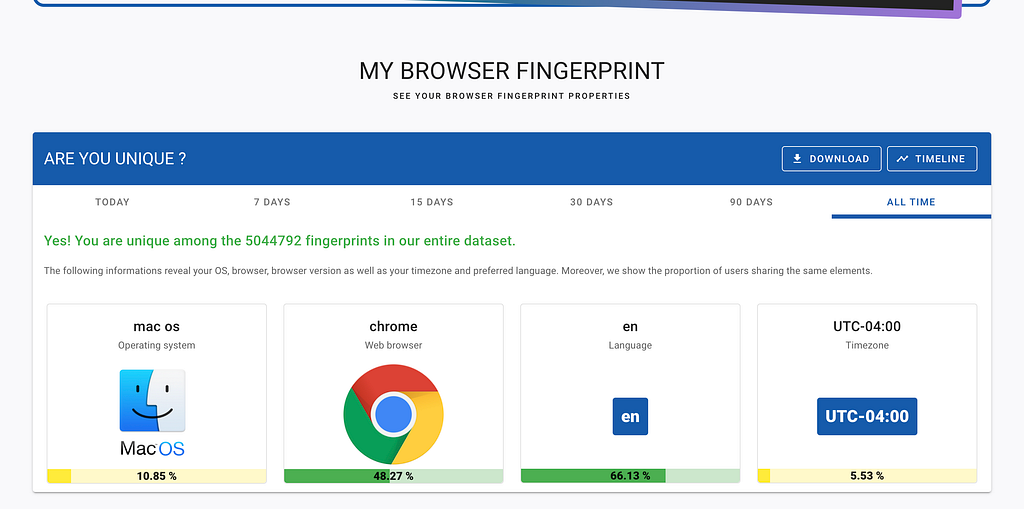
The breakdown:
- GPU: Apple M4 via Metal; 0.12% of users
- Fonts: 213 specific fonts in a specific order; 0.46%
- Screen workspace: 1470 × 924–0.33%
- Hardware concurrency: 10 logical cores
- Timezone: UTC-04:00
No name, no IP, no cookie. Just the intersection of those signals. Mathematically, there’s one person on Earth at that intersection. That’s the point.
How to fight back
You can’t disappear. You can blend in or lie convincingly.
Blend in. Tor Browser is the gold standard; it letterboxes your viewport, normalizes timezone and fonts, and tries to make every Tor user look identical. Brave is the practical daily driver: it “farbles” canvas and audio APIs by injecting per-session noise, so your fingerprint changes every time.
Spoof on Firefox. about:config > set privacy.resistFingerprinting to true. You’ll report a generic timezone, a spoofed screen size, and a clamped font list. Things will occasionally look weird. That’s the trade.
Add noise. uBlock Origin blocks the scripts that run the interrogation. CanvasBlocker specifically poisons toDataURL and getImageData.
For the network layer, no extension fixes JA4. The honest answer is that a VPN won’t save you (the TLS handshake is between your browser and the destination, not the VPN). The only real mitigations are using Tor (which proxies everything through a fixed-fingerprint client) or accepting that you’re identifiable to any well-resourced adversary.
The bottom line
Your browser isn’t a window to the internet. It’s a high-resolution mirror, and every font you install, every GPU driver you update, every cipher suite your TLS stack supports adds another line to the portrait.
The next time a site feels like it’s reading your mind: it isn’t. It’s reading your hardware.
Your Browser is Snitching: How Companies Unmask You Without Your Consent was originally published in OSINT Team on Medium, where people are continuing the conversation by highlighting and responding to this story.