
Hi,
I am starting a Network testing blog writeups series from basic.
So, Let’s get started
This is part 3 you can get part 2 here Network Testing: Core Networking (Foundation) part 2

Topics covers:
- Subnet masking/CIDR
- DHCP
- VPN/OpenVPN
So, Let get started with first concept subnet masking/CIDR (Classless Inter-Domain Routing). As Earlier in part 1 covers What is IP and how this work. I will now tell you how subnet masking work.
If you have tested any CIDR or seen the scope of any Hackerone program, it has
123.234.255.0/24 //Random IP
So, what does this actually mean?
here the IP are 32 bits each octet contains 8 bits of number for example above is
123 = 8 Bits
234 = 8 Bits
255 = 8 Bits
and in last it has 0/24 This the first 24 Bits are fixed part of a network and cannot be assign to any device. It only can assign IP such as 123.234.255.X to any device range from 1 to 254 here mostly 1 are your router device and last IP 123.234.255.255 is assigned to broadcast for their work.
We can count how many hosts in bits can have for example
Number of IPs = 2^(32 - CIDR)
Here CIDR is /24.
so this will be
IPs = 2^(32-24)
IPs = 2^(8)
IPs= 256
So, an CIDR with /24 can have 256 IPs in it, but we have to subtract the network IP and broadcast IP, so it becomes 254 IPs in a range.
Same goes with /16 Here the last 2 octet will change 123.234.X.X this is used for company with many devices as this make a large number of IPs.
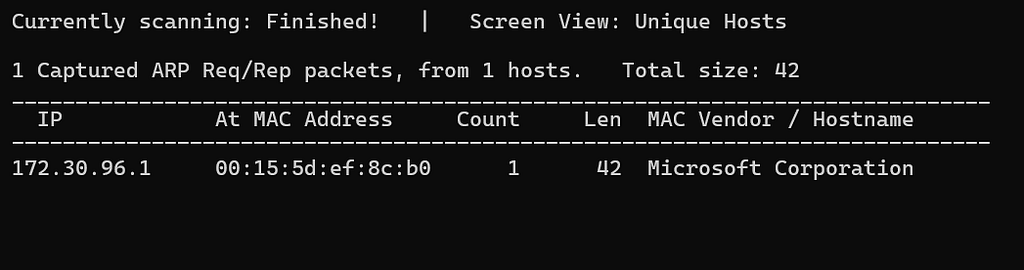
So how we discover IPs in subnet? We use netdiscover and other tools to discover the host in a particular IP system for example

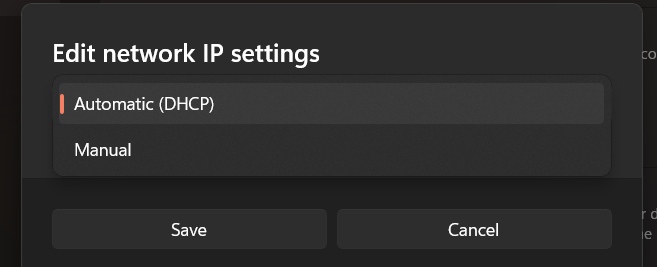
Now it comes to DHCP. It is pool of IPs when a device enters into network DHCP assign the device an IPs from the pool of IPs he has. A device can also set it IP manual but mostly DHCP is used to assign an IP.
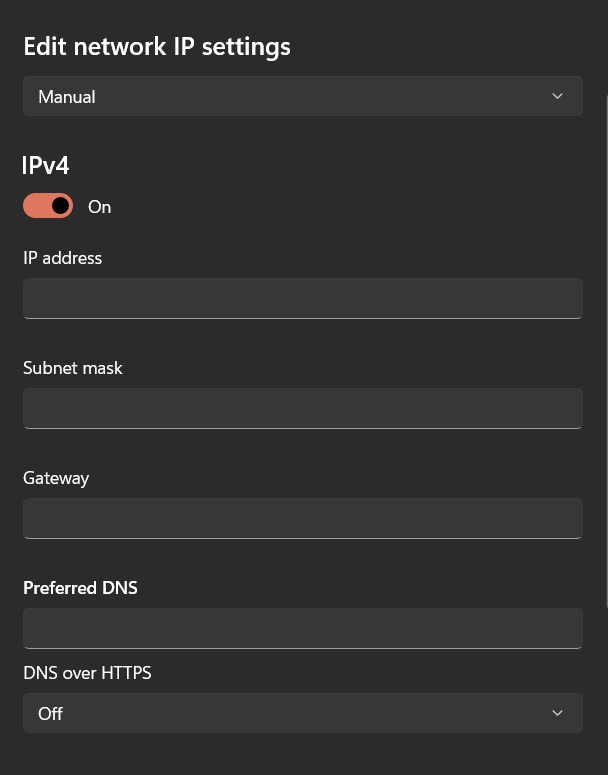
Here you can assign yourself any IP you want but make sure it is unsued in your network in subnet you have the put the value of your subnet for example
255.255.255.0
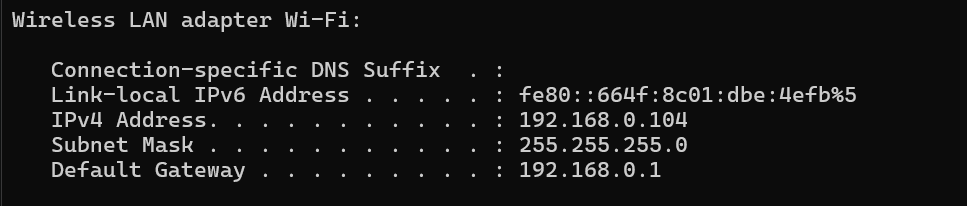
You can get it from running ipconfig in your cmd or ifconfig in your Linux
Now let’s move on to VPN.
VPN (Virtual Private Network) creates a secure encrypted tunnel for data transfer. It changes your public IP to the VPN server’s IP and encrypts your traffic. It helps in connecting to websites without exposing your real IP.
OpenVPN is a VPN protocol that uses configuration files (.ovpn) which include details like server address, port, protocol, and certificates to securely connect to a VPN server.
Thank you!
Connect with me
Linkedin: https://www.linkedin.com/in/jeet-pal-22601a290/
Instagram: https://www.instagram.com/jeetpal.2007/
X/Twitter: https://x.com/Mr_mars_hacker
And here’s something special for you! 🚨
Join a community of 3,600+ security researchers on our Discord server, where we discuss Web3 vulnerabilities, audits, and much more! 🚀
👉 Join the server here!: https://discord.gg/Y467qAFM4X
Network Testing: Core Networking (Foundation) part 3 was originally published in OSINT Team on Medium, where people are continuing the conversation by highlighting and responding to this story.