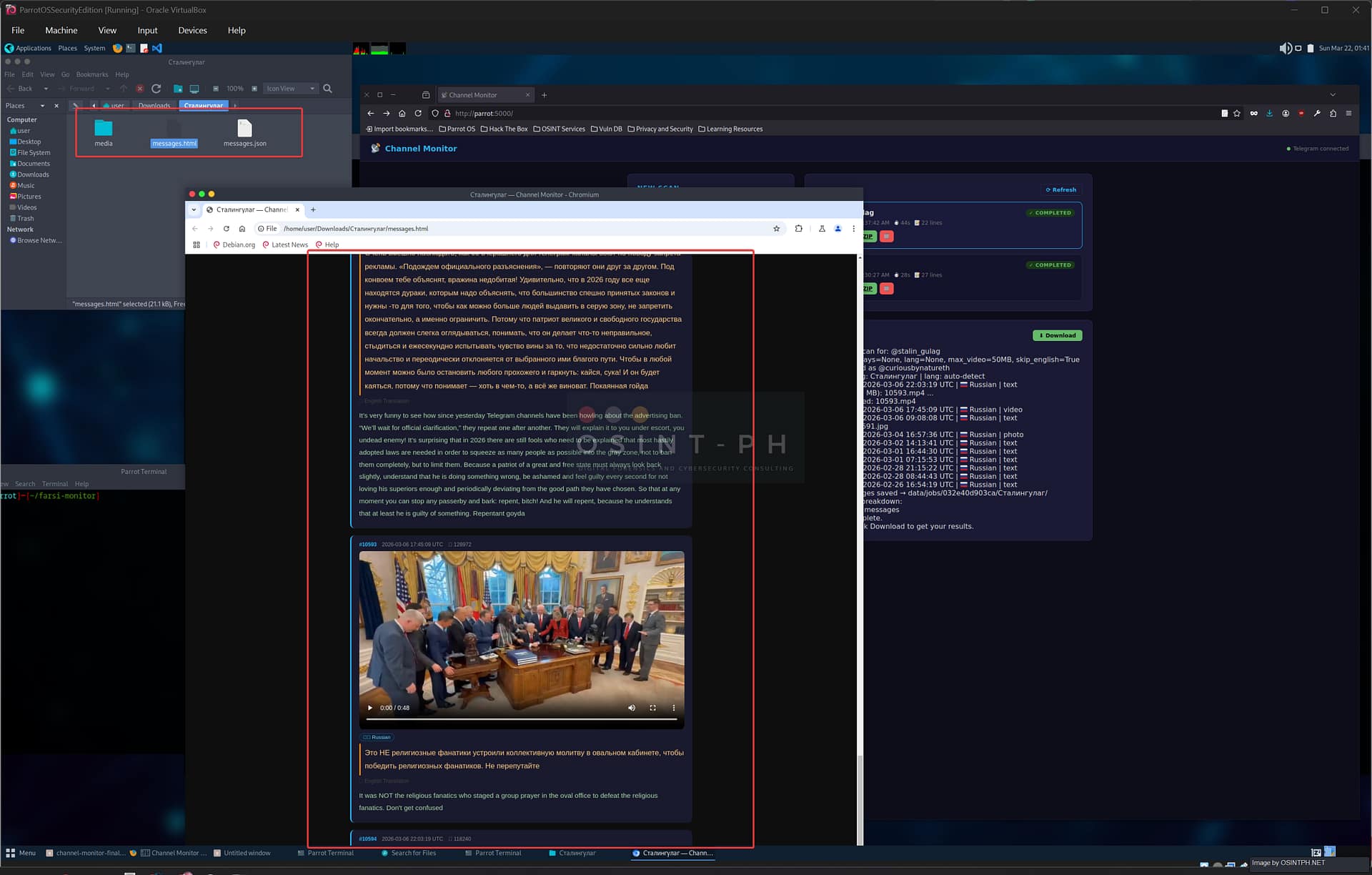

If you have been following this series, you know the history. The first version was a command-line Python script — you ran it, it scraped a Telegram channel, translated everything, downloaded the media, and dropped a self-contained HTML report into an output folder. Useful, but you had to be comfortable with a terminal and you had to manage it yourself.
The second version integrated that scraper directly into the threat intelligence dashboard which is a separate project and an overkill is the channel monitor is all that you are after. You got a full UI, live log streaming, job history, one-click ZIP downloads, all without touching a terminal.
A few people reached out asking for something in between. They did not want the full platform which included the dark web crawler, the database, the Docker stack — they just wanted the channel monitor. Standalone. With the UI. Deployable in five minutes on any Linux machine.
So that is what this is.
What Is New — Standalone Web UI
The standalone version is a single Flask application. No Docker, no database, no platform dependencies. You clone the repo, run the installer, and you have a web interface running on port 5000. If you still want to use only the Shell based version, you can stick to the old one, the features are more or less the same, without the UI.
git clone https://github.com/osintph/channel-monitor-ui.git
cd channel-monitor-ui
bash install.sh
sudo bash install-service.sh
That is it. The installer handles the virtual environment, dependencies, credential setup, and Telegram authentication in sequence. The service script registers it as a systemd unit so it starts on boot and runs in the background via Gunicorn.

The Interface
The UI is deliberately simple. Left panel is the scan form. Right panel is the job list and live log.
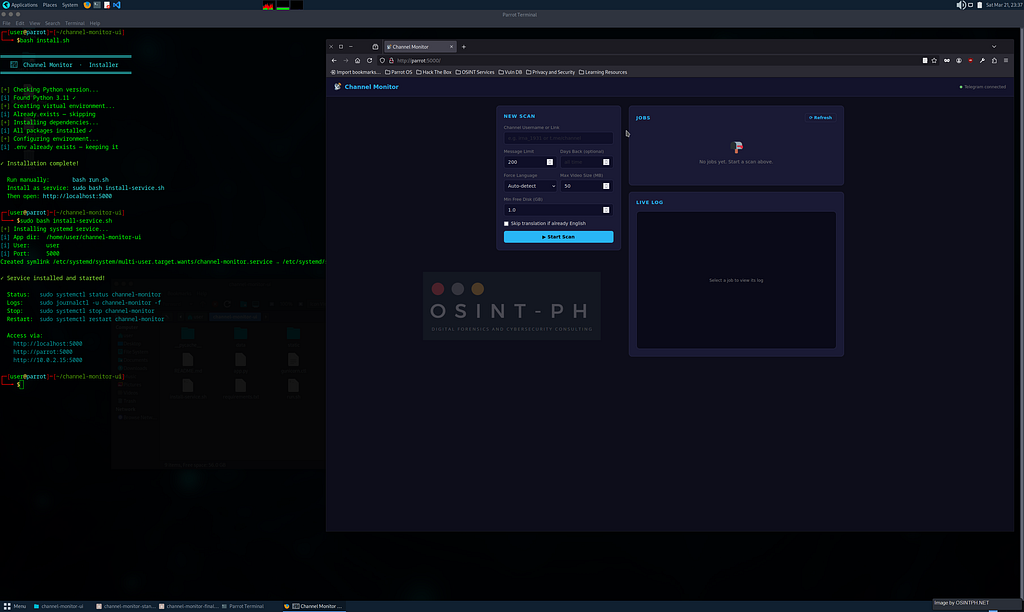
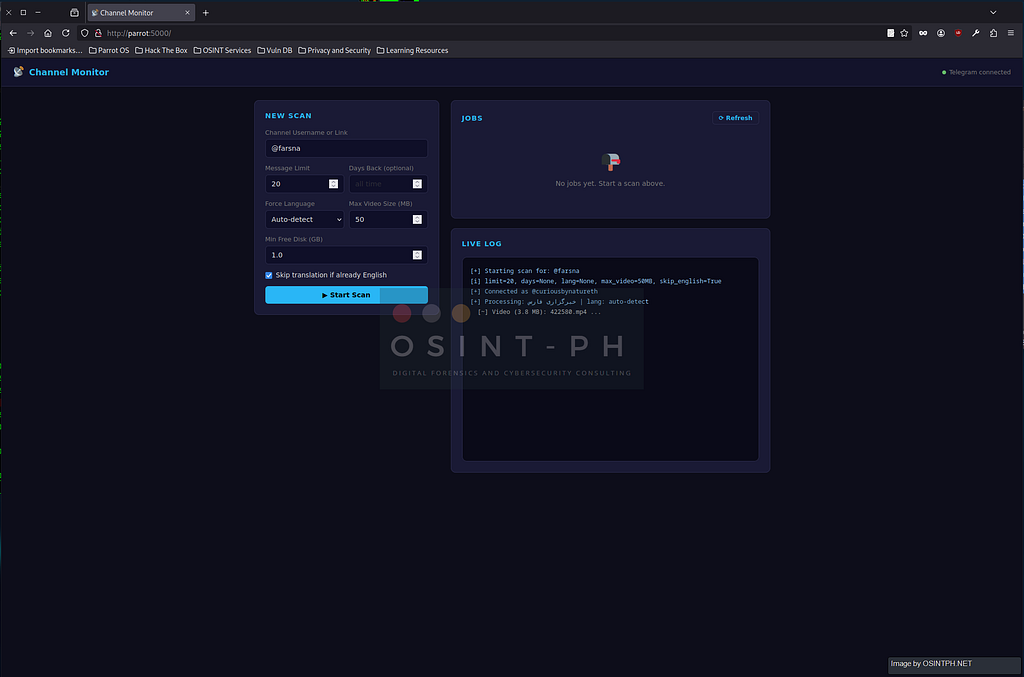
You enter a channel username or full link, configure your options, and hit Start Scan. The same options from the CLI are all here:
- Message limit — how many messages to fetch, 0 for all
- Days back — restrict to recent messages only
- Force language — skip per-message detection if you know the source language
- Max video size — cap video downloads or skip entirely
- Min free disk — automatic abort if disk space drops too low
- Skip English translation — avoid unnecessary API calls on English channels
The live log streams in real time as the scan runs. Every message processed, every photo and video downloaded, every translation. You can leave the tab and come back — the job keeps running in the background.
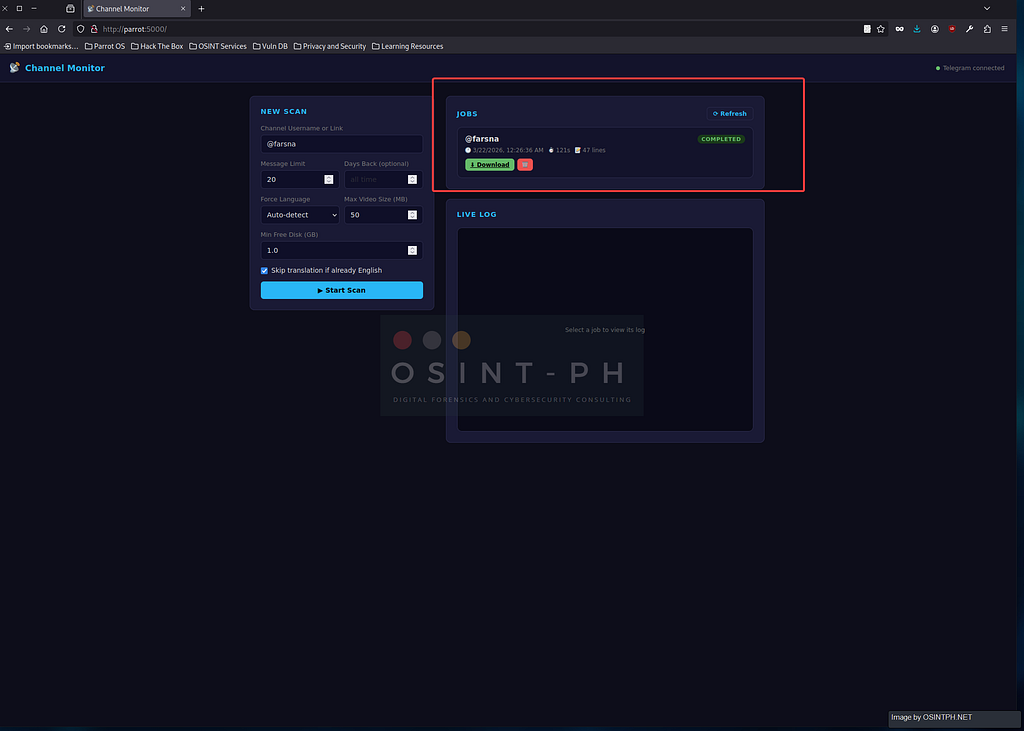
When the scan completes the job card updates to COMPLETED and the download button appears.
The Output
Nothing changed here from the integrated platform version. The ZIP contains the same three things:
messages.html — a self-contained report that opens directly in any browser. Original text in amber, right-to-left aligned where appropriate for Arabic and Farsi. English translation in green below. Photos rendered inline. Videos with an embedded player. Language badge on every message. No server required, you can attach it directly to a report or share it as-is.
messages.json — raw structured data. Every message with its ID, timestamp, original text, translated text, detected language, media type, media path, view count, and reply chain. Pipe it into whatever analysis workflow you have.
media/ — all downloaded photos and videos named by message ID.

Job History and Persistence
One thing that was missing in the integrated platform version — job history did not survive container restarts. That is fixed here. Every completed job is written to data/jobs_index.json immediately on completion. When the service restarts, all previous jobs reload automatically. Your completed scans, their logs, and their download links are all still there.
I recorded this short Video of an end to end process, sorry for the sound quality and low resolution but you get the idea 😀
https://medium.com/media/e78f20d4b9370d80941d20796cdee8d7/href
Deployment Notes
A few things worth knowing for operational use:
Run as a regular user. The service does not need root. The installer creates the systemd unit under your own user account.
One Gunicorn worker. This is intentional. Telethon’s session file is a SQLite database and does not handle concurrent writes from multiple processes. Two workers will cause database is locked errors on the session file. One worker, no problem.
Session file security. data/channel_monitor.session grants access to your Telegram account. It is in .gitignore and will never be committed, but treat it like a password. If you are running this on a shared or internet-facing machine, consider the same OPSEC guidance from the original post — a dedicated SIM or a service like TextVerified keeps your personal number out of the picture.
Hostname access. The service binds to 0.0.0.0 so you can reach it by IP, hostname, or localhost. If you are on a local network and want to hit it from another machine, just use the hostname: http://your-machine:5000.
What Is Next
The standalone version is v1. A few things are still missing that I want to add:
Cancel a running scan from the UI. Right now you can only let it finish or restart the service. A stop button is straightforward to add and it is on the list.
Progress indication. The log tells you everything but there is no progress bar showing X of N messages complete. For channels where you set limit to 0 and fetch everything, that matters.
Multi-channel batch scanning. The CLI already supports a channels file with one channel per line. The UI should too — paste in a list, kick off scans sequentially, get one ZIP per channel.
IOC extraction on translated output. This was in the roadmap from the original post and it is still there. The translated messages.json is a natural input for entity extraction — locations, unit names, coordinates, dates. Connecting that to the keyword scanner in the main platform is the logical next step.
The repo is at https://github.com/osintph/channel-monitor-ui and it is open source. The install takes five minutes on any Debian-based system. If you run into issues or have feature requests, open an issue or reach out directly.
GitHub – osintph/channel-monitor-ui
Session Messenger: 059db238ab37c3d92615c5cc24b694da29c598cc13e27886053722404118e14271
All monitoring was conducted on publicly accessible Telegram channels for research and OSINT purposes.
As usual:
- OSINT PH – Digital Forensics & Cybersecurity Consulting
- CyberNewsPH – Philippine Cybersecurity & Data Privacy News
- Sigmund Brandstaetter
Channel Monitor Gets a Standalone Web UI was originally published in OSINT Team on Medium, where people are continuing the conversation by highlighting and responding to this story.