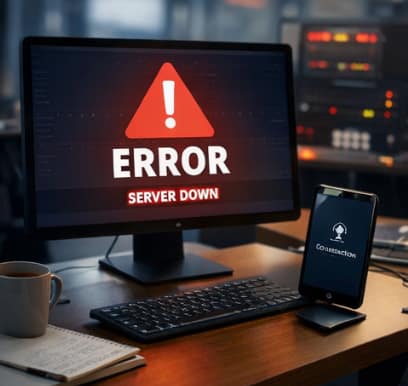
Most engineers freeze. Here’s the checklist that keeps you moving when everything is on fire.
Your phone buzzes.
Alert. Error rate 34%. Then 67%. Then the Slack messages start.
Your hands are already moving before your brain catches up. You open the dashboard. Red everywhere. Users can’t checkout. Can’t login. Can’t do the thing your entire business depends on them doing.
You have 60 minutes before this becomes a very different kind of problem.
Here’s exactly what to do.
First: Stop Doing the One Thing Everyone Does
Before the checklist — a warning.
The single most common mistake engineers make in the first 5 minutes of an outage is jumping straight to fixing without understanding.
You see a red metric. You think you know what it is. You’ve seen something like this before. You start making changes.
Twenty minutes later, the service is still down, you’ve deployed two hotfixes that didn’t work, your logs are now polluted with your own debugging noise, and you have less idea what’s happening than when you started.
Slow down. Diagnose first. Fix second.
This is not intuitive when everything is on fire. It is always correct.
Minutes 0–5: Communicate Before You Understand
The first thing you do is not fix the problem. The first thing you do is tell people you know about it.
Post in your incident channel immediately:
“P1 in progress. Service X is down / degraded. Investigating now. Updates every 10 minutes.”
That’s it. You don’t need to know the cause. You don’t need a fix. You need to establish that a human is aware and working on it — before your CEO finds out from a customer tweet.
Why this matters: The silence after an alert is the most damaging part of any incident. Every minute you spend silently debugging without communicating is a minute your stakeholders are imagining the worst. A short, honest “we know and we’re on it” message buys you enormous amounts of trust and time.
Do this before you touch anything else.
Minutes 5–15: Diagnose Without Touching Production
Now you investigate. And you do it without making any changes yet.
The questions to answer, in order:
1. When did it start? Check your monitoring. Find the exact timestamp when error rates or latency began changing. This is your anchor point. Everything else is relative to this moment.
2. What changed around that time? Deployments. Config changes. Cron jobs. Scheduled tasks. Database migrations. Feature flags. Someone’s manual “quick fix” from this afternoon. Check all of it.
The uncomfortable truth: most production incidents are caused by something that changed. Not some mysterious emergent failure — something someone did. Find what changed 5–30 minutes before the incident started and you’ve found your primary suspect 70% of the time.
3. What does the error actually say? Read the error message. The full one. Not the first line — the whole stack trace. Engineers miss root causes constantly because they stop reading at the first familiar-looking line.
4. Is it getting better, worse, or stable? This determines urgency. A rapidly deteriorating situation needs different decisions than a stable degradation.
Do not touch production until you can answer all four questions. This feels like lost time. It is not.
Minutes 15–25: Make One Decision
By now you have a hypothesis. Maybe you’re certain. Maybe you’re 60% sure. Either way, you need to make one decision:
Rollback or fix forward?
Rollback if: a recent deployment is the likely cause and you can revert cleanly. This is almost always faster than a hotfix. Engineers resist rollbacks emotionally — it feels like admitting defeat. It isn’t. It’s engineering.
Fix forward if: the cause is environmental (database, third-party service, infrastructure), or if rolling back would cause its own problems (database migrations that can’t be undone, data already written).
Pick one. Commit to it. Don’t do both simultaneously — you’ll lose the ability to understand what actually fixed it.
Minutes 25–40: Execute and Watch
You’re deploying the fix or the rollback. While it propagates:
Watch the right metrics. Not all metrics — the two or three that tell you definitively whether users are being served correctly. Error rate. Latency. Successful transactions. Pick the signal before the fix goes out so you know exactly what “working” looks like.
Don’t declare victory early. Wait for the metrics to stabilize, not just improve. I’ve watched engineers declare an incident resolved because the error rate dropped from 60% to 15%, then step away — and come back to 80% five minutes later because the fix only worked for some traffic.
Keep communicating. Another update to the incident channel:
“Fix deployed at [time]. Monitoring for stabilization. Will confirm resolved in 10 minutes.”
Minutes 40–55: Confirm Resolution
The metrics look good. Resist the urge to close the incident immediately.
Check the edges:
- Are all regions recovering, or just the ones you were watching?
- Are there any delayed effects? (Background jobs that piled up, queues that are now draining abnormally fast, caches that are cold and hammering your database)
- Are error rates truly back to baseline, or slightly elevated in a way that will matter in an hour?
Confirm with a stakeholder. Not because you need permission — because a second set of eyes on “is this actually fixed” has caught real problems more times than I can count.
Post the resolution:
“Incident resolved at [time]. Service restored to normal. MTTR: [X] minutes. Postmortem to follow within 24 hours.”
That last sentence matters. It tells everyone that this isn’t just closed — it’s going to be understood.
Minute 55–60: Write Down What You Know Right Now
Before you close the laptop. Before the adrenaline fades. Before you go to bed and wake up with half the details gone.
Write a rough timeline. Not a formal postmortem — just the facts:
- When did it start?
- What was the first symptom?
- What was the root cause (your best current understanding)?
- What changed that caused it?
- What fixed it?
- What still needs investigation?
This takes 10 minutes. It will save you 4 hours when you write the formal postmortem. More importantly, it captures your knowledge at peak clarity — the moment when you understand the system better than you will at any other point.
Most engineers skip this. Then they write postmortems from memory two days later and wonder why the root cause section is vague.
The Things Nobody Says Out Loud
You will be blamed if you communicate poorly, regardless of how well you fix it. An incident where the team communicated clearly, updated stakeholders every 10 minutes, and resolved in 45 minutes is remembered as “handled well.” An incident resolved in 20 minutes with silence until it was over is remembered as “chaotic.” Communication is not soft skills. It is incident response.
The rollback you’re resisting is probably the right call. Engineers have a bias toward fix-forward. It feels more competent. It usually isn’t. If a deployment caused the incident, roll it back. You can fix it properly tomorrow, in daylight, with full cognitive function.
Your first hypothesis is wrong more often than you think. Not always. But often enough that you should hold it loosely, keep reading the logs, and be genuinely willing to abandon it when the evidence doesn’t fit. The engineers who cause the most damage during incidents are the ones who became certain too early.
The postmortem is not optional. Not because your manager is asking for it. Because the incident you just lived through contains information your future self desperately needs. Skip the postmortem and you’re guaranteed to repeat some version of this at 3 AM six months from now.
After the 60 Minutes: The Part That Actually Prevents the Next One
The incident is resolved. The service is up. Everyone goes back to their regular work.
And then nothing changes, because the postmortem was a blank doc with sections nobody filled in, the action items were assigned to people who never looked at them again, and the root cause was described as “database slowness” which tells the next engineer nothing.
This is where most teams fail. Not in the incident — in the aftermath.
A good postmortem has three properties: it’s traceable (every claim links to a log or metric), it’s specific enough to be actionable, and someone actually owns making sure the action items happen.
Writing that kind of postmortem manually takes 4–6 hours of work that nobody has after an all-night incident. Which is exactly why most postmortems are useless — not from lack of intent, but from lack of energy at the worst possible moment.
The teams I’ve seen break the repeat-incident cycle aren’t the ones with better engineers. They’re the ones who stopped treating postmortem writing as a manual process.
If you’re serious about that part — the part that actually prevents the next incident — ProdRescue AI does exactly what it sounds like. Your Slack war room thread plus your logs, in, executive-ready postmortem with every claim linked to a source log line, out, in under 2 minutes. I built it because I kept watching talented engineers write mediocre postmortems at 6 AM when their best thinking was already spent.
ProdRescue AI | Automated Incident Reports & RCA for SRE Teams
The Checklist (Save This)
Minutes 0–5
- Post in incident channel: “We know, we’re investigating, updates every 10 min”
- Do not touch production yet
Minutes 5–15
- Find exact start time
- Find what changed in the 30 minutes before
- Read the full error, not just the first line
- Assess trajectory: improving, worsening, or stable
Minutes 15–25
- Form hypothesis
- Decide: rollback or fix forward
- Do not do both
Minutes 25–40
- Deploy fix or rollback
- Define what “resolved” looks like before it goes out
- Post update: “Fix deployed, monitoring”
Minutes 40–55
- Confirm all regions, not just primary
- Check for delayed effects
- Get second set of eyes
- Post resolution with MTTR
Minutes 55–60
- Write rough timeline while memory is fresh
- Note root cause hypothesis
- Flag what still needs investigation
Resources That Help Before and After
Free:
🔥 Production Incident Prevention Kit — The pre-deploy checklists that catch incidents before they happen. Free.
⚡ Production Latency Debug Starter Kit — A CLI tool for finding what’s actually slow, fast. Also free.
Go deeper:
💀 The Backend Failure Playbook — Real systems, real failures, real fixes. Java, Spring, SQL, Cloud. The pattern recognition that makes the above checklist intuitive instead of mechanical.
📖 30 Real Incidents That Cost Companies Thousands — Actual postmortems with prevention steps. Reading other people’s incidents is the cheapest education in this industry.
More incident response, production engineering, and hard-earned lessons — weekly:
What’s the first thing you do when production goes down? Drop it in the comments. I’m genuinely curious how different the real answers are from the official runbooks.
Your App Just Went Down. Here’s Exactly What to Do in the Next 60 Minutes. was originally published in OSINT Team on Medium, where people are continuing the conversation by highlighting and responding to this story.