Cyber Defense Lab Write-Up
https://cyberdefenders.org/blueteam-ctf-challenges/hawkeye/
1. Lab Information
- Lab Title: HawkEye Lab
- Course: Network Forensics
- This Write-up Make it by BnHany.
2. Objective
The objective of this lab is to analyze a network capture (PCAP) file to investigate potential malicious activity.
Specifically, the goal is to:
1. Identify the victim machine and suspicious traffic.
2.Extract Indicators of Compromise (IoCs) such as malicious files, IPs, or credentials.
3.Use analysis tools (Wireshark, CyberChef, VirusTotal) to understand the nature of the threat.
4.Simulate a real-world incident response by applying forensics and OSINT techniques.
3. Tools Used
List all tools and platforms used in the lab.
- Wireshark
- Brim
- Apackets
- VirusTotal
- MaxMind Geo IP
- macvendors
- abuseipdb
- CyberChef
4. Lab Setup/Environment
Briefly describe the environment.
- Any OS
- Any tools that can show details for Pcap file
- Any browser to search
5. Methodology/Steps Taken
- Initial Inspection
- Opened the PCAP file using Wireshark.
- Scanned through packets for any obvious anomalies or suspicious protocols (e.g., HTTP, SMTP, DNS).
- Filtering Key Protocols
- Applied filters such as http, smtp, dns, and dhcp to isolate relevant traffic.
- Identified victim’s IP address using dhcp or ipv4 traffic.
- HTTP Traffic Analysis
- Inspected http.request packets to extract User-Agent strings (OS info).
- Used File > Export Objects > HTTP to retrieve downloadable files (e.g., .exe).
- Uploaded suspicious files to VirusTotal for malware analysis.
- SMTP Traffic Analysis
- Located and analyzed email-related packets.
- Extracted Base64-encoded credentials and decoded them using CyberChef.
- IoC Extraction and OSINT
- Collected IP addresses, MAC addresses, and hashes.
- Performed lookups using online tools (e.g., MAC vendor lookup, IP geolocation).
- Data Correlation and Threat Assessment
- Cross-referenced artifacts (e.g., IPs, files, credentials) to confirm attack indicators.
- Documented findings and linked activities to possible threat behavior.
Lab Questions & Answers
Q1: How many packets does the capture have?
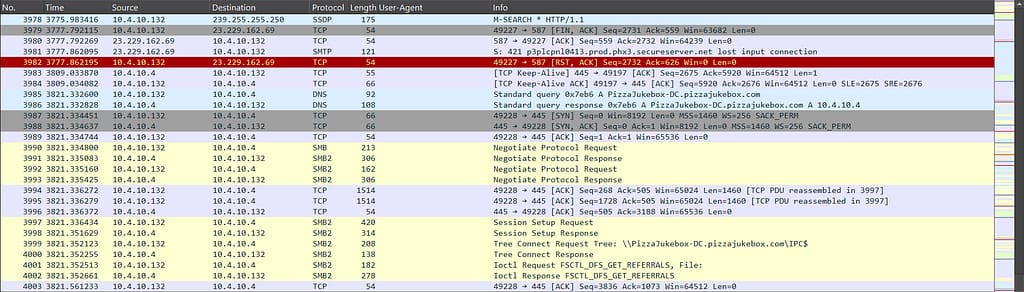
Answer: Open the PCAP file and scroll down to the end. You will find the last packet listed in the ‘No.’ column.
Q2: At what time was the first packet captured?
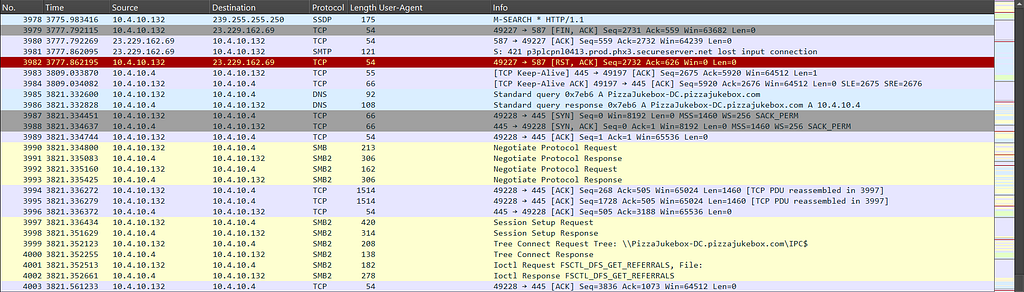
Answer: To view detailed timing information in a PCAP file, go to ‘Statistics’ → ‘Capture File Properties’ or press Ctrl + Alt + Shift + C. Be careful — the displayed time is in UTC.

Q3 : What is the duration of the capture?
Answer: You can use the same steps in Q2 or calculate the time difference between the first and last packet.

Q4 : What is the most active computer at the link level?
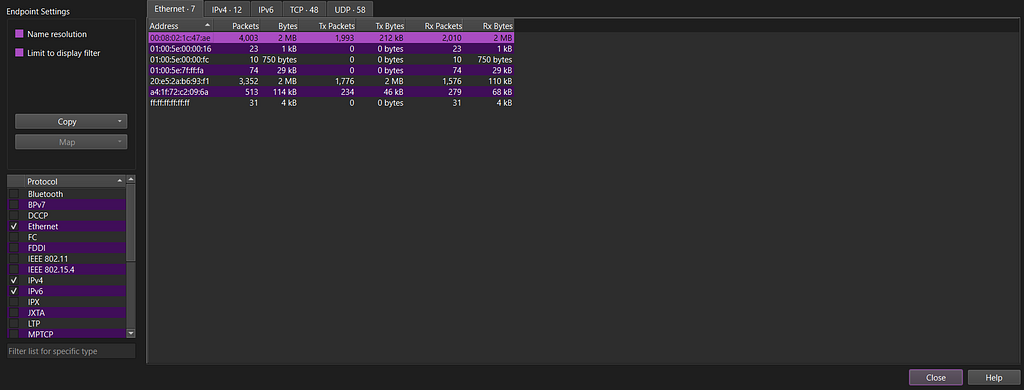
answer : Go to ‘Statistics’ → ‘Endpoints’ and check which device has the most packets. The answer will be its address.
Q5 : Manufacturer of the NIC of the most active system at the link level?
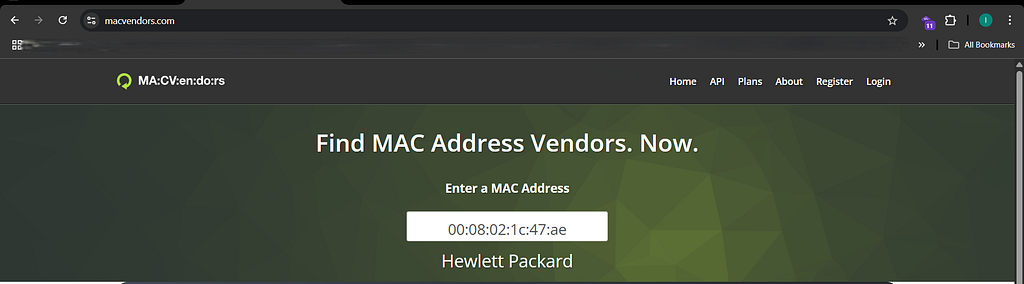
answer : Just take the MAC address with the highest number of packets and use any website or tool to find the vendor of the device.
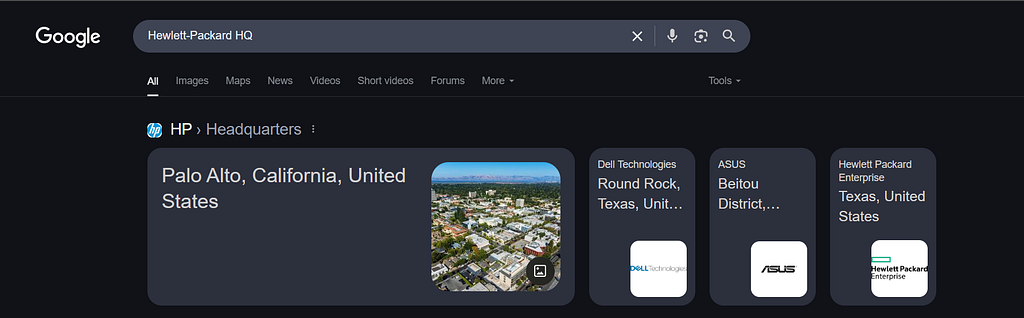
Q6: Where is the headquarters of the company that manufactured the NIC of the most active computer at the link level?
Answer: Search for the vendor associated with the MAC address by looking up its prefix (OUI), which often includes the company’s headquarters information.
Q7: The organization works with private addressing and netmask /24. How many computers in the organization are involved in the capture?
Answer: Open the IPv4 section and identify the first IP address listed.

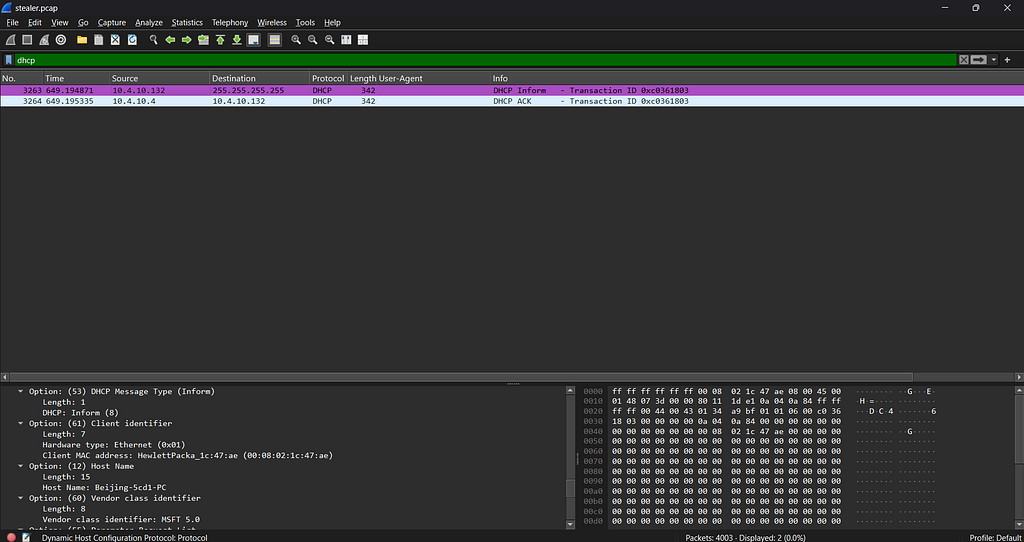
Q8: What is the name of the most active computer at the network level?
Answer: First, search for ‘dhcp’ in the filter bar, then check which packet contains the hostname.
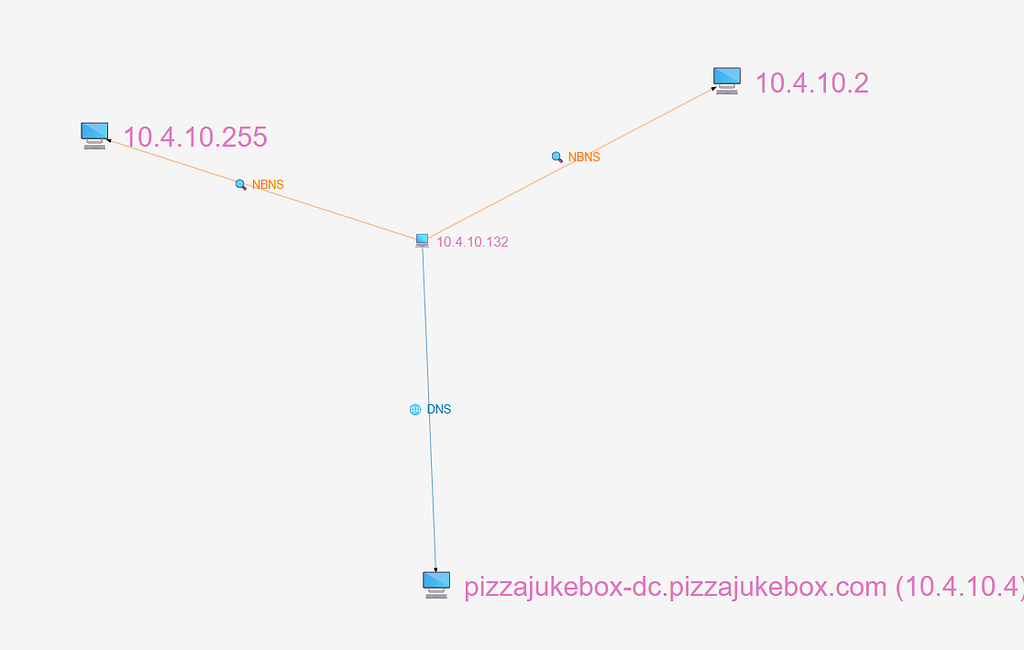
Q9: What is the IP of the organization’s DNS server?
Answer : after upload our file in Apackets
Q10: What domain is the victim asking about in packet 204?
Answer: Go to packet number 204, or press Ctrl + G and enter ‘204’ to jump directly to it.

Q11: What is the IP of the domain in the previous question?
Answer: You will see the IP address in the Request packet.

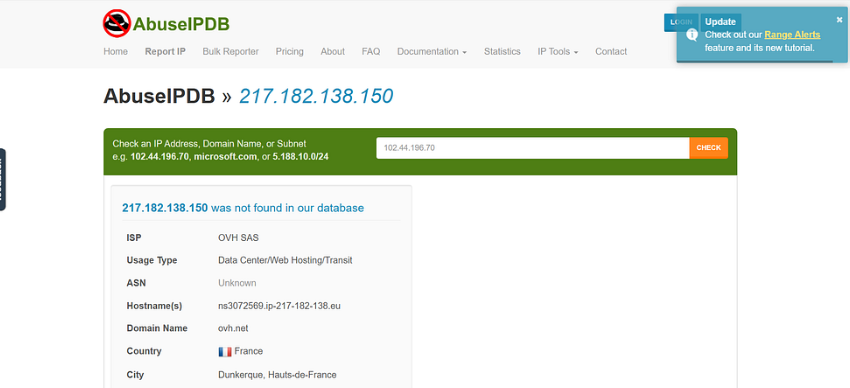
Q12: Indicate the country to which the IP in the previous section belongs?
Answer: Take the IP address and search for information about it.
in abuselIPDB
Q13: What operating system does the victim’s computer run?
Answer: We have identified the victim’s IP address, so we need to filter all HTTP traffic related to it in order to find the operating system in the User-Agent string. To do this, enter the following filter in the search
bar:ip.src == 10.4.10.132 && http.request
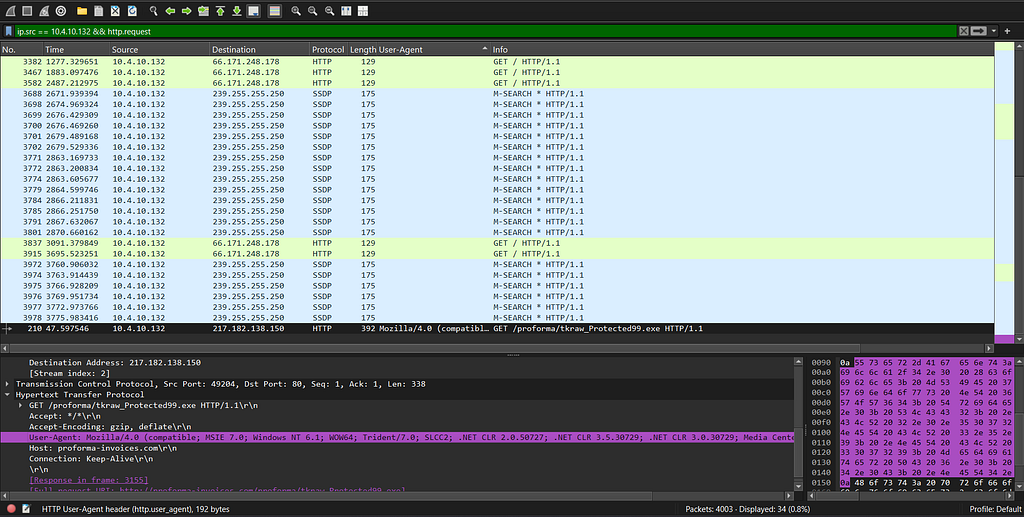
Q14: What is the name of the malicious file downloaded by the accountant?
Answer: In the same packet, we can also find the file the user attempted to download from the browser.

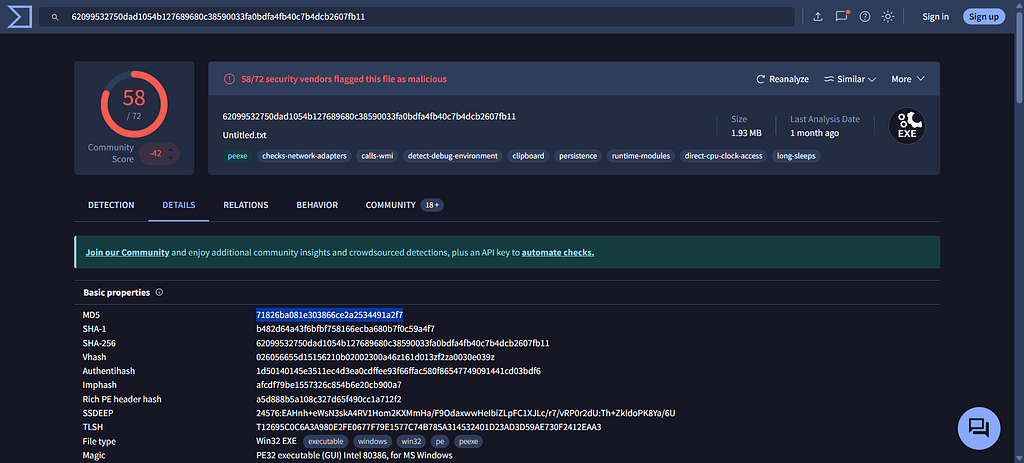
Q15: What is the MD5 hash of the downloaded file?
Answer: Just download the file by going to File > Export Objects > HTTP, then choose the file.exe and download it. After that, open VirusTotal, upload the file, and go to the ‘Details’ tab—you’ll see everything you need there.
Q16: What software runs the web server that hosts the malware?
Answer: Select the packet that shows the file.exe, then press Ctrl + Alt + Shift + H to view the server details.

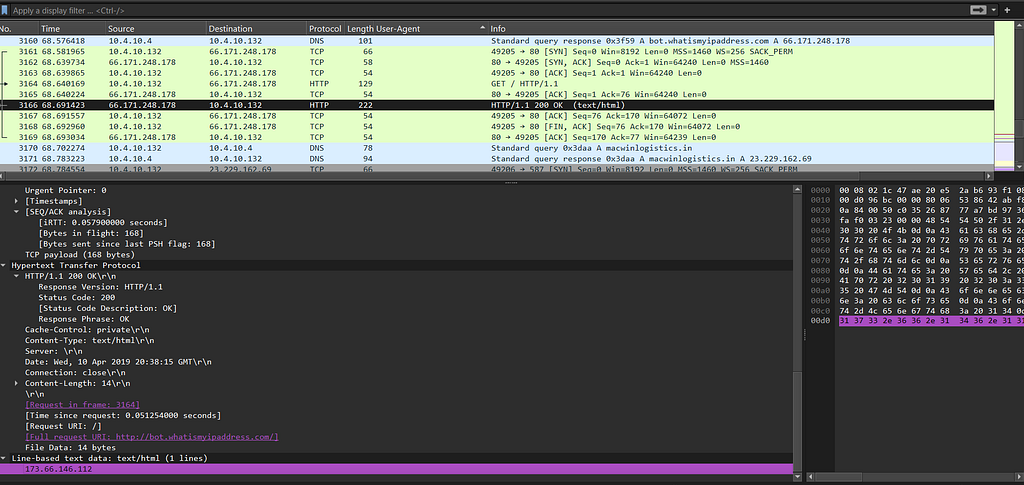
Q17: What is the public IP of the victim’s computer?
answer : go to the packet 3166 and go to line text
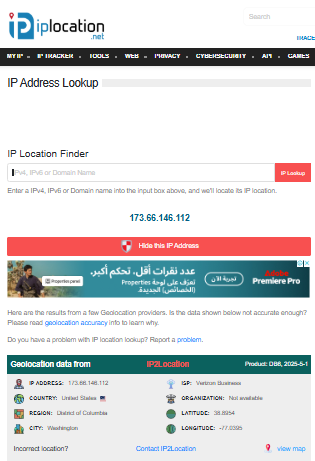
Q18: In which country is the email server to which the stolen information is sent?
Answer: Take the IP address and enter it into any IP location finder to determine its geographical location.
Q19: Analyzing the first extraction of information. What software runs the email server to which the stolen data is sent?
Answer: Just find the SMTP packet, select it, and analyze its contents.
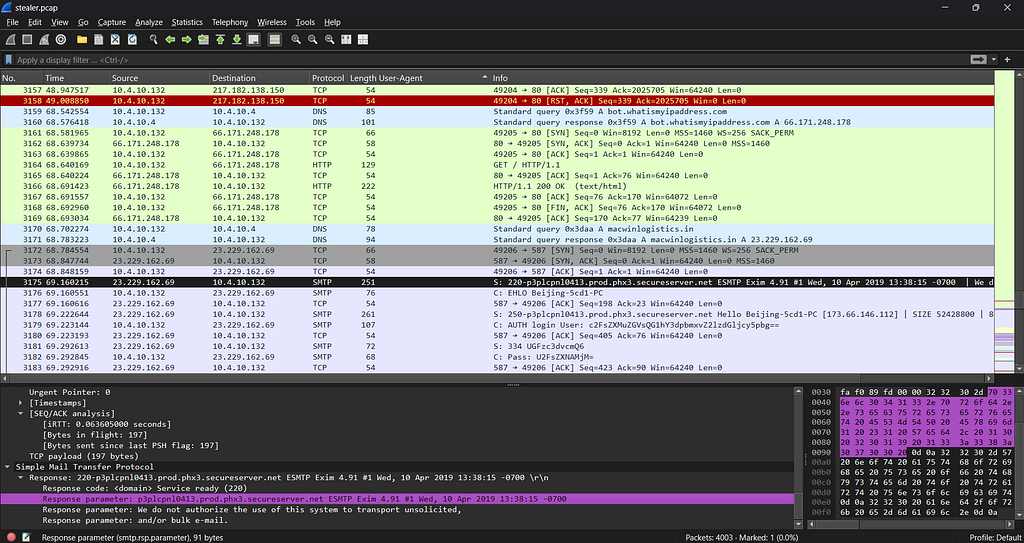
Q20: To which email account is the stolen information sent?
answer : go to the TCP stream to see the email
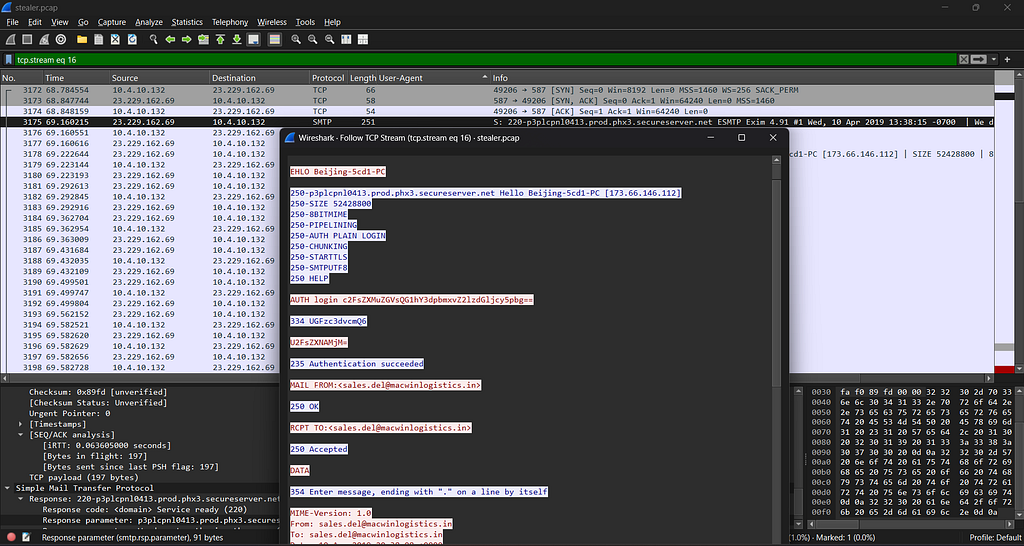
Q21: What is the password used by the malware to send the email?
Answer: You will see the entire stream, so we’ll extract the password hash and paste it into CyberChef for analysis.
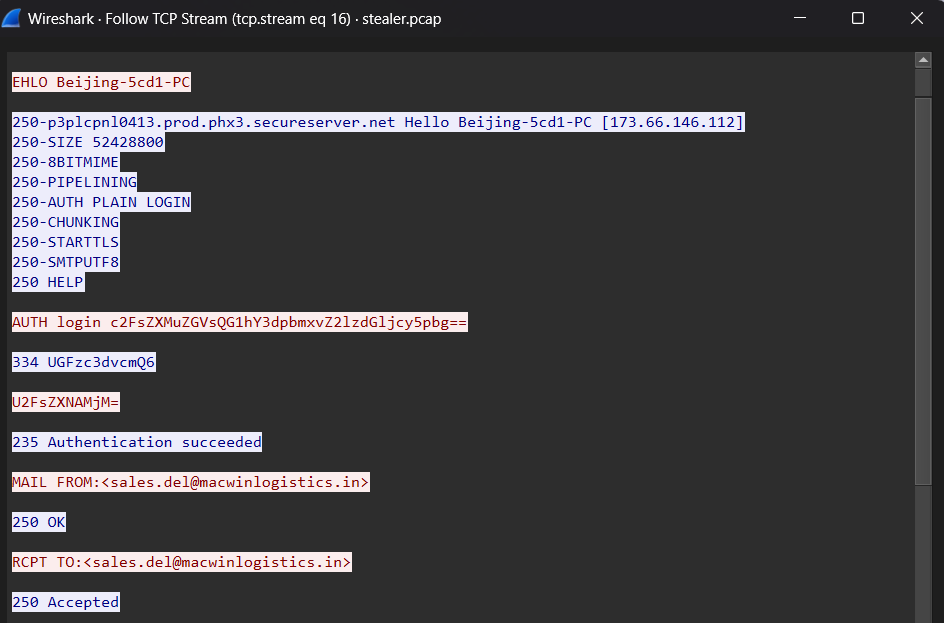
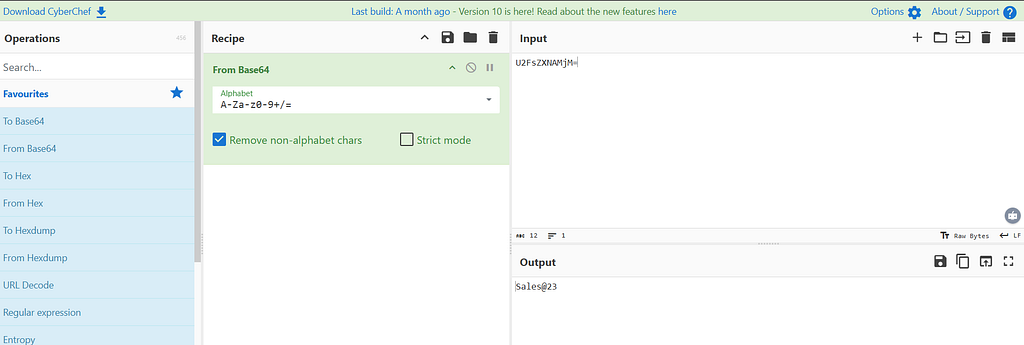
Q22: Which malware variant exfiltrated the data?
Answer: Take the message content from the email and paste it into CyberChef for further analysis.
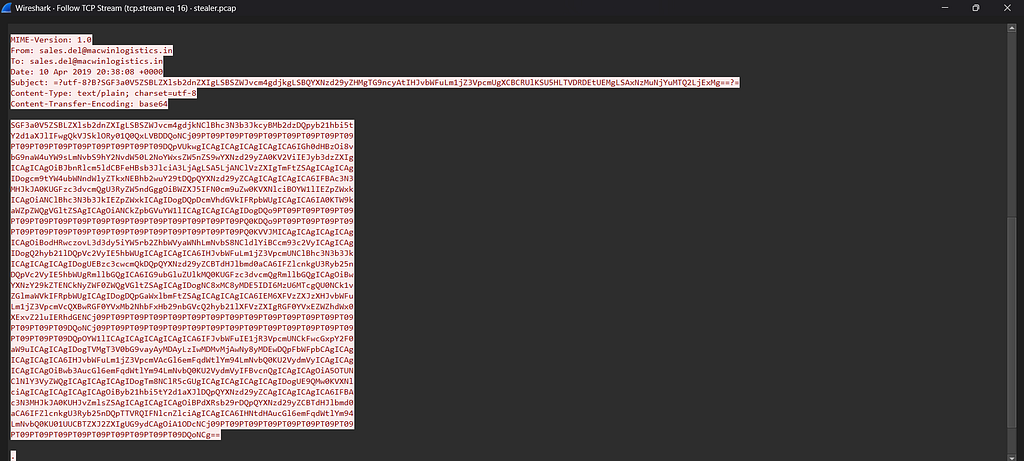
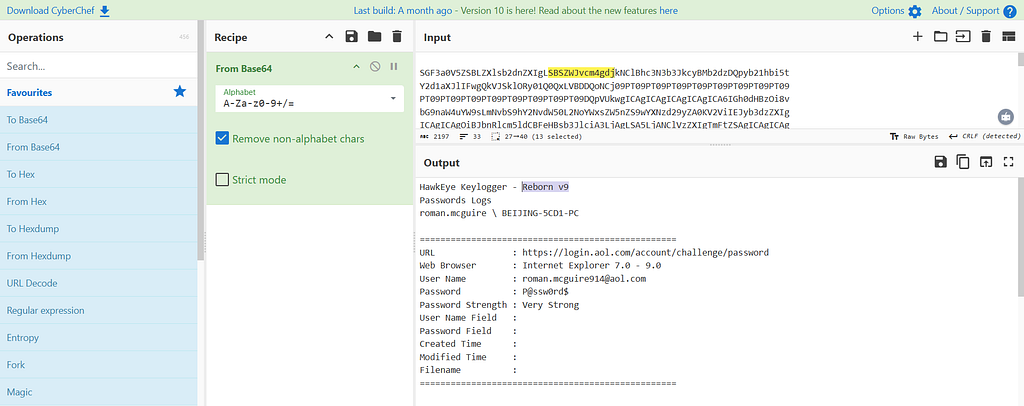
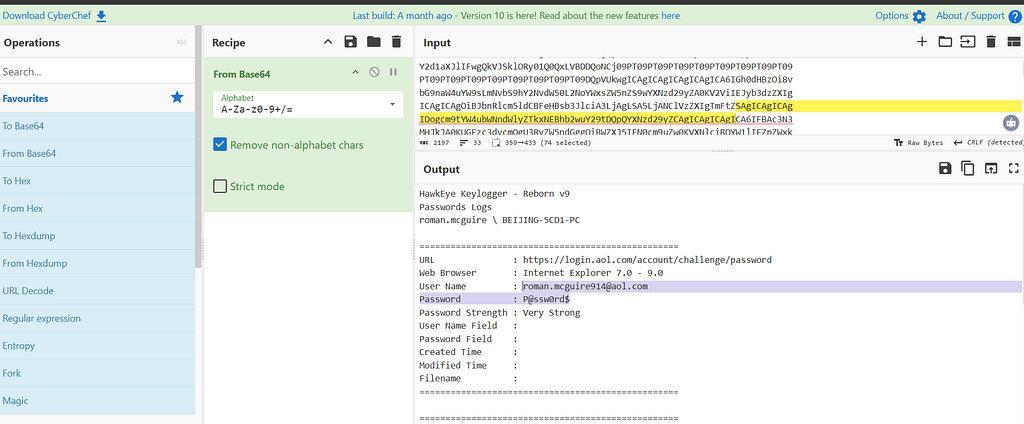
Q23: What are the Bank of America access credentials? (username:password)
Answer: Take the message content from the email and paste it into CyberChef for further analysis too.
Q24: Every how many minutes does the collected data get exfiltrated?
Answer : 10
6. Findings / Analysis
During packet analysis, we identified several Indicators of Compromise (IoCs):
- A suspicious file.exe downloaded via HTTP, indicating potential malware delivery.
- A User-Agent string revealing the OS of the victim (Windows 10), which helps profile the target.
- SMTP traffic containing Base64-encoded credentials, showing possible credential theft.
- An outbound connection to a known malicious IP (based on VirusTotal lookup).
The most suspicious activity was the HTTP transfer of an executable file and the encoded email credentials. These behaviors are consistent with data exfiltration and initial compromise stages of an attack.
CyberChef was used to decode captured data, confirming the presence of plaintext usernames and hashed passwords. This indicates lack of encryption and possible insider threat or weak mail server configuration.
7. Conclusion
The objective was achieved: we successfully identified the victim, extracted malicious artifacts, and analyzed key attack components.
Key learnings:
- How to extract meaningful data from PCAP files (HTTP objects, user agents, SMTP credentials).
- Using CyberChef and VirusTotal to decode and analyze potential threats.
- Recognizing attacker tactics such as Base64 obfuscation and unencrypted data transfer.
In a real-world scenario:
- Immediate containment actions would include blocking the malicious IP and quarantining the affected system.
- Notify the user about credential compromise and enforce password reset.
- Perform deeper forensic analysis on the downloaded executable.
- Improve email server security (enforce TLS, limit Base64 in headers).
9. Recommendations/Improvements
Based on the findings and analysis, the following recommendations and improvements are suggested to enhance detection and response capabilities:
1. Detection Improvements:
1. Enhanced Packet Inspection:
- Implement deep packet inspection (DPI) for detecting malicious payloads in HTTP and SMTP traffic.
- Use signature-based detection to identify specific attack patterns such as Base64-encoded credentials or unusual executable downloads.
2. Anomaly-Based Detection:
- Utilize machine learning algorithms to detect abnormal traffic patterns (e.g., large data exfiltration, unusual connection attempts).
- Integrate traffic baselining to flag deviations that could indicate an attack.
2. Rule/Alert Recommendations:
1. Custom Wireshark Filters:
- Create Wireshark display filters to isolate suspicious traffic patterns:
- http.request && ip.src == <victim_IP>
- smtp && base64
2. Network Monitoring Alerts:
- Configure alerts for unusual HTTP file downloads, especially .exe or other executable files.
- Set up alerts for SMTP traffic containing suspicious Base64-encoded strings or unencrypted credentials.
3. Hash-based Detection:
- Deploy hash matching for known malicious files (e.g., from VirusTotal reports) to trigger alerts when these files are observed on the network.
3. System/Process Improvements:
1. Email Encryption:
- Enforce the use of TLS for email communications to prevent plain-text credential leaks.
2. Network Segmentation:
- Isolate sensitive systems (e.g., email servers, internal servers) in separate network segments to limit exposure to threats.
3. User Education & Awareness:
- Provide training on recognizing phishing attempts, especially in relation to email attachments and links.
HawkEye Lab Write-Up | By BnHany was originally published in OSINT Team on Medium, where people are continuing the conversation by highlighting and responding to this story.